Build better trips with better content.
Managing Suppliers shows you where your itinerary content actually comes from, and how to use, adapt and contribute to it so your proposals get richer without you rebuilding descriptions from scratch. To earn your badge, pass the assessment with 80% or higher.
By the end of this course, you will be able to:
Understand the difference between Core and Professional profiles.
Know when to create a private profile versus requesting content from Wetu.
Customise a supplier description and image collection in your own account.
Manage country-level content for health, safety and entry information.
Add supplier-maintained Product Activities directly into an itinerary.
Why this course matters
There are over 400,000 profiles in the Wetu system. A well-maintained profile does double duty, it makes your own itineraries look better, and it is part of a shared, verified record that other operators and partners rely on too.
How to work through this course
The course is split into topics, and every topic covers one specific part of Wetu. For each topic, follow these steps in order:
Open Wetu in a split screen and work side by side in the software as you go.
Applying each topic as you learn it is what makes it stick.
Time to get serious
We've laid the topics out in a logical sequence to match how you'd naturally move through Wetu, but jump ahead or double back whenever it's useful to you.
Know where itinerary content comes from, who maintains it and what you can adapt for your own business.
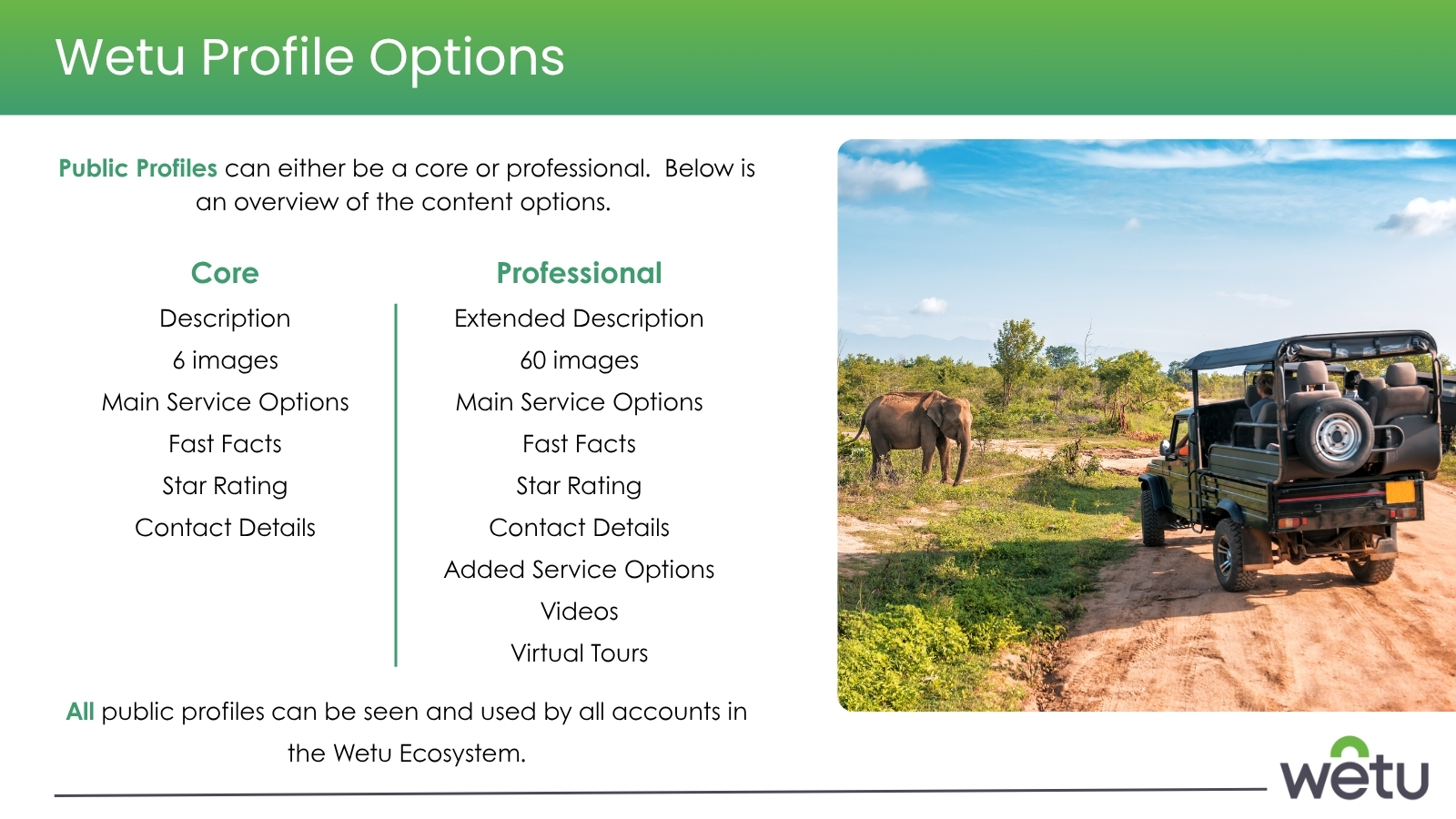
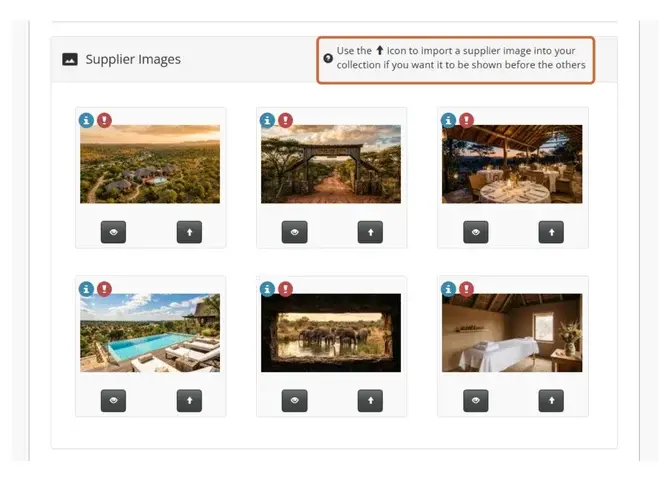
Every itinerary you build draws on content you didn't write yourself, and it helps to know exactly where that comes from. This topic introduces the two profile types behind it all, Core and Professional, and what separates them: Core gives you the basics, up to six images, while Professional opens up richer content and up to sixty. Profiles are maintained by suppliers, but you're not stuck with whatever they've written, you can adapt it for your own account, which is exactly what the rest of this course shows you how to do.
Try it: Open several Core and Professional profiles and compare the available content.

Use private content for bespoke or business-specific offerings and shared content where the wider network should benefit.
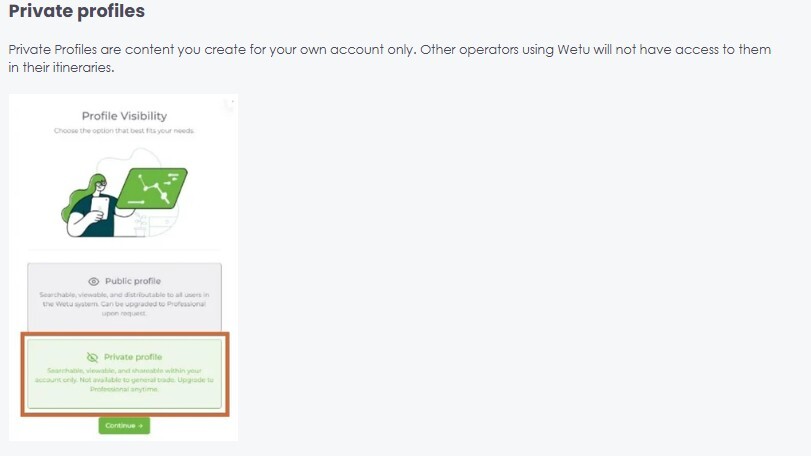
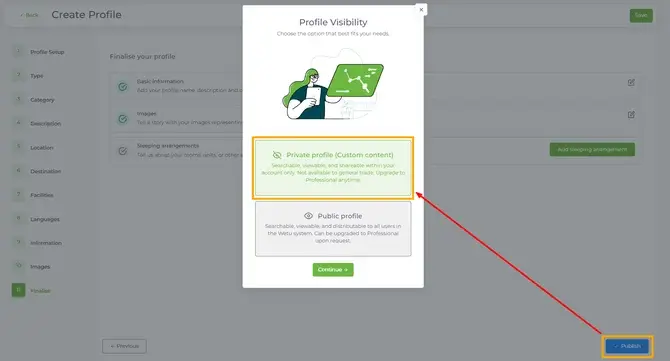
Not every experience you sell is already sitting in the Wetu database, and that's where a private profile earns its place. This topic shows you how to build your own for bespoke activities, unique experiences, or suppliers who simply aren't listed yet. The real skill here isn't the mechanics of creating one, it's knowing when a private profile is the right call, and when you're better off asking Wetu's team to add it for everyone.
Try it: Identify one real example where you would create a private profile versus request content.
Tailor supplier content to your own sales voice without changing the shared source record.
A supplier's default description won't always sound like you, and it doesn't have to. This topic shows you how to override it with your own wording, visible only in your account, so every property reads in your brand voice and sells the way you actually sell it. The shared record underneath stays untouched, you're just changing what your clients see.
Try it: Review where a custom description would add value.
Control which images best support the story your business wants to tell.
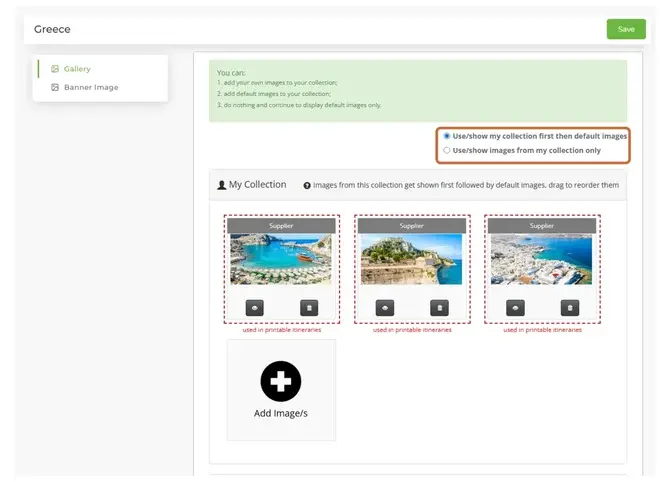
The right photo can do more selling than any paragraph of copy, so it's worth having a say in which ones show up. This topic covers managing your own image collection for a supplier, choosing display order, and using the "show images from my collection only" setting when you want your images front and centre instead of the supplier's defaults. One detail worth remembering as you go: the first three images in your collection are what most outputs actually display, so lead with your strongest.
Try it: Review a supplier image collection and its display order.
Some information belongs to a specific trip, and some belongs to an entire country, and mixing the two up creates more work than it saves. This topic shows you how to manage country-level content, entry requirements, health and safety, and destination detail, all in one place, separate from the general travel guidance you'd have already set up in Account Fundamentals. Keep it here, and it stays accurate across every itinerary to that destination, not just one.
Try it: Review one country profile for relevance and currency.
Use supplier-maintained, property-specific activities directly in the Planner to speed up building and improve accuracy.
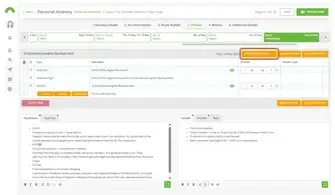
Some of the best content in Wetu isn't written by you at all, it's written by the supplier who actually runs the experience, and Product Activities let you pull that straight into an itinerary. This topic shows you how to add them from the Planner step, giving you accurate, property-specific detail without retyping a word of it. It's the same collaborative thinking behind everything else in this course, better content, shared well, benefits everyone using it.
Try it: Find a Professional Profile and add or review a Product Activity.
Complete the course. Earn your badge.
Share your feedback
Two minute survey